Local AI
Connect a model on your computer
A local model is an AI model that runs on your own computer. Once it is downloaded, using it is free, and nothing you type into Axiom leaves your machine.
One-time LM Studio setup
Install a model
Install LM Studio, then use its home screen to download a model that fits your computer.
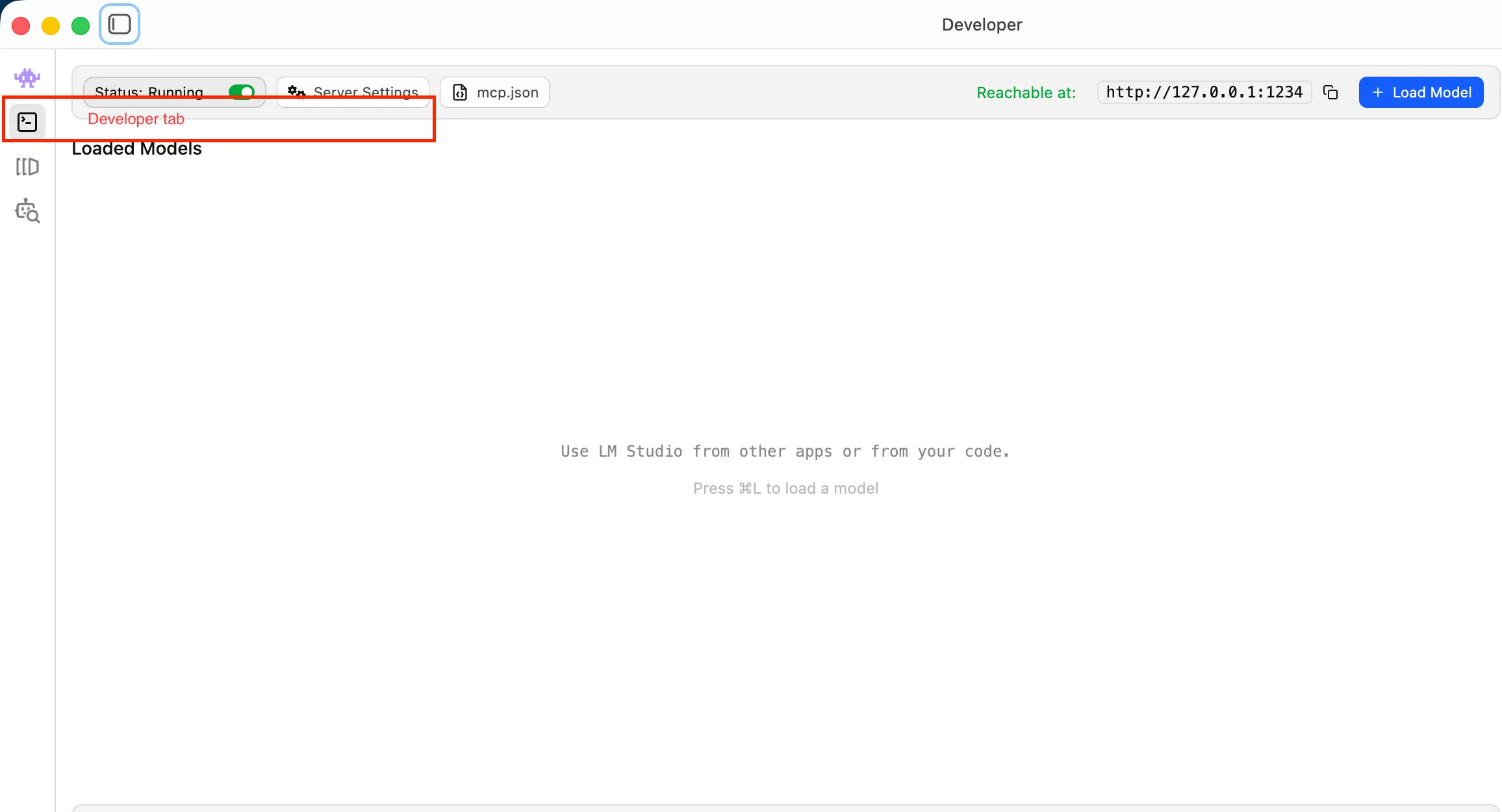
Start the local server
Open the Developer tab in LM Studio, then choose Start Server.
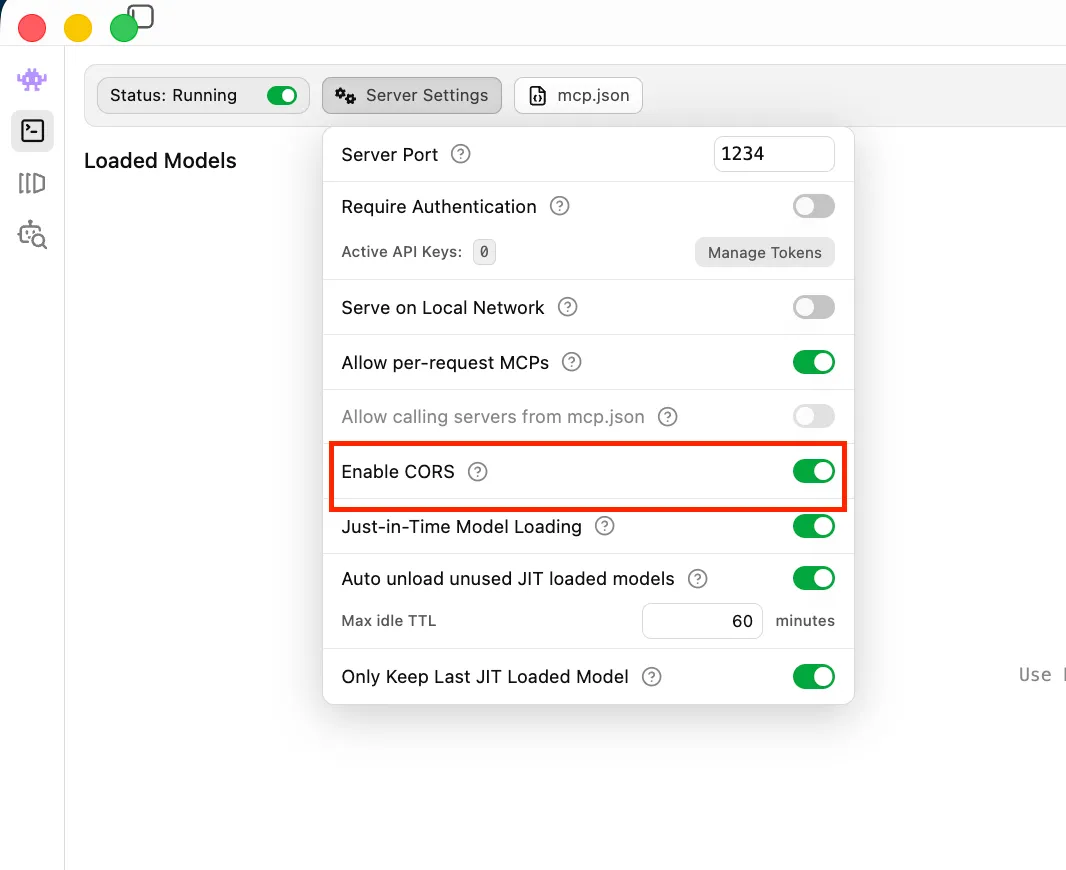
Enable browser access
In the same Developer panel, switch on Enable CORS. This is the step people most often miss. It gives Axiom permission to read LM Studio's reply.
LM Studio must stay open, with its server running, while you use local AI in Axiom. If you close it, start the server again before reconnecting.